
You were working before you sat down.
A workspace manager for AI coding agents.
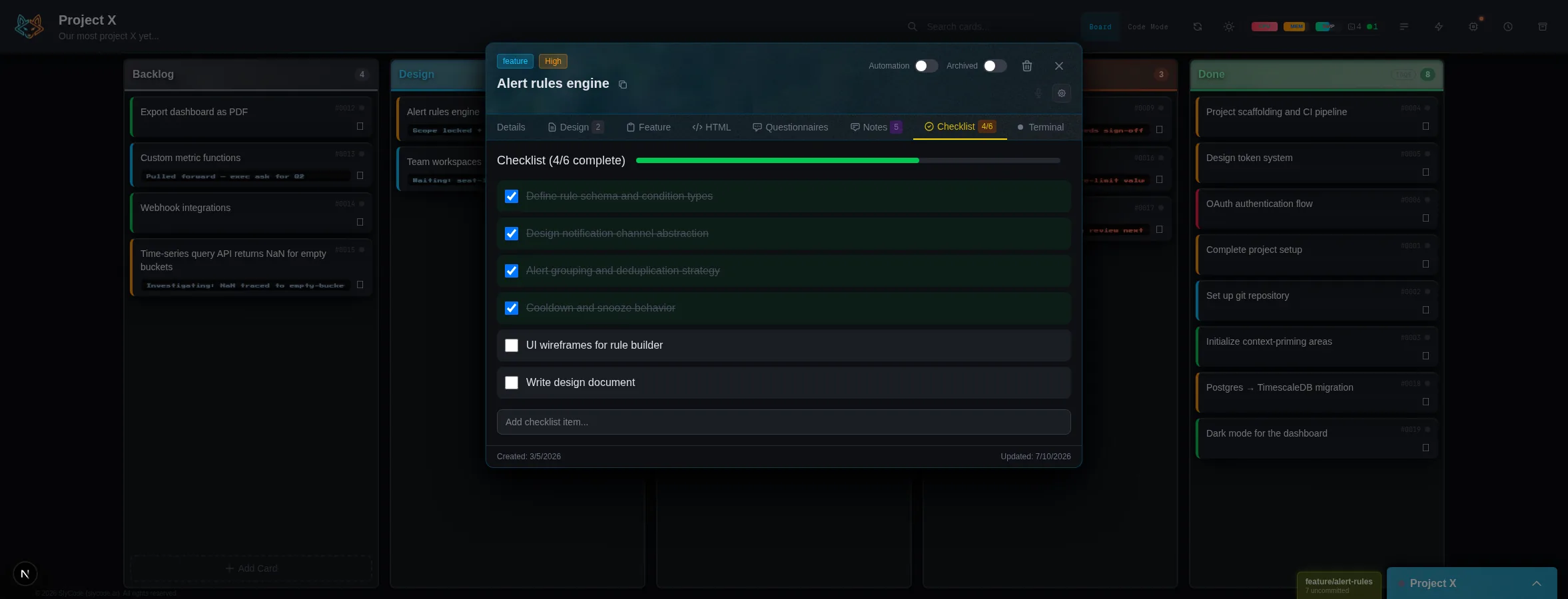
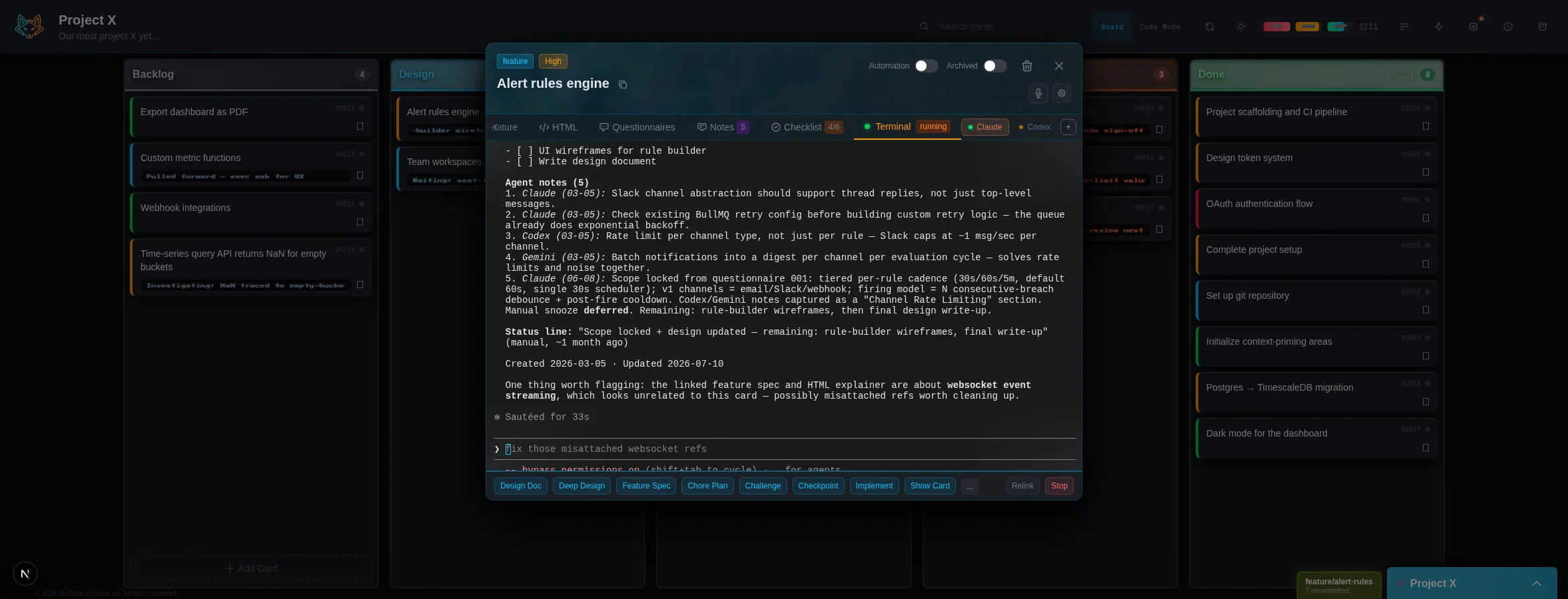
Give each task its own workspace: terminal, context, and persistent session. Pick up any task exactly where you left off. And when you need to understand the code itself, Code Mode gives you an AI-maintained map of your codebase in the same place. SlyCode layers onto the tools and setup you already use. It does not take them over.
Built for developers running Claude Code, Codex, or OpenCode.
Built on itself
SlyCode was built using SlyCode.
From day two, every feature, every card, every design doc went through the same workflow you'll use.
300+ card workspaces (so far)
Each with its own context, terminal session, and recoverable history.
Built in SlyCode itself
The product has been developed through its own workflow, not staged around it.
Desk to phone and back
Tasks stay intact across contexts, so work can continue without rebuilding momentum.
Why SlyCode
CLI AI tools are powerful.
Keeping up with them is the hard part.
You are juggling multiple tasks, multiple sessions, and multiple projects, each with its own context and momentum. The AI does not lose the thread. You do.
That is the real drag: not generating code, but constantly rebuilding context, reloading intent, and getting your bearings again. There is a name for that feeling now: AI coding fatigue.
SlyCode exists because the biggest problem in AI development is not the model. It is everything around the model.
What if the card was the workspace?
Instead of separating planning from doing, SlyCode keeps the task, its context, and its live working session in one place.
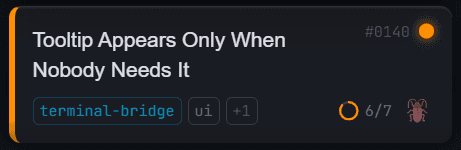
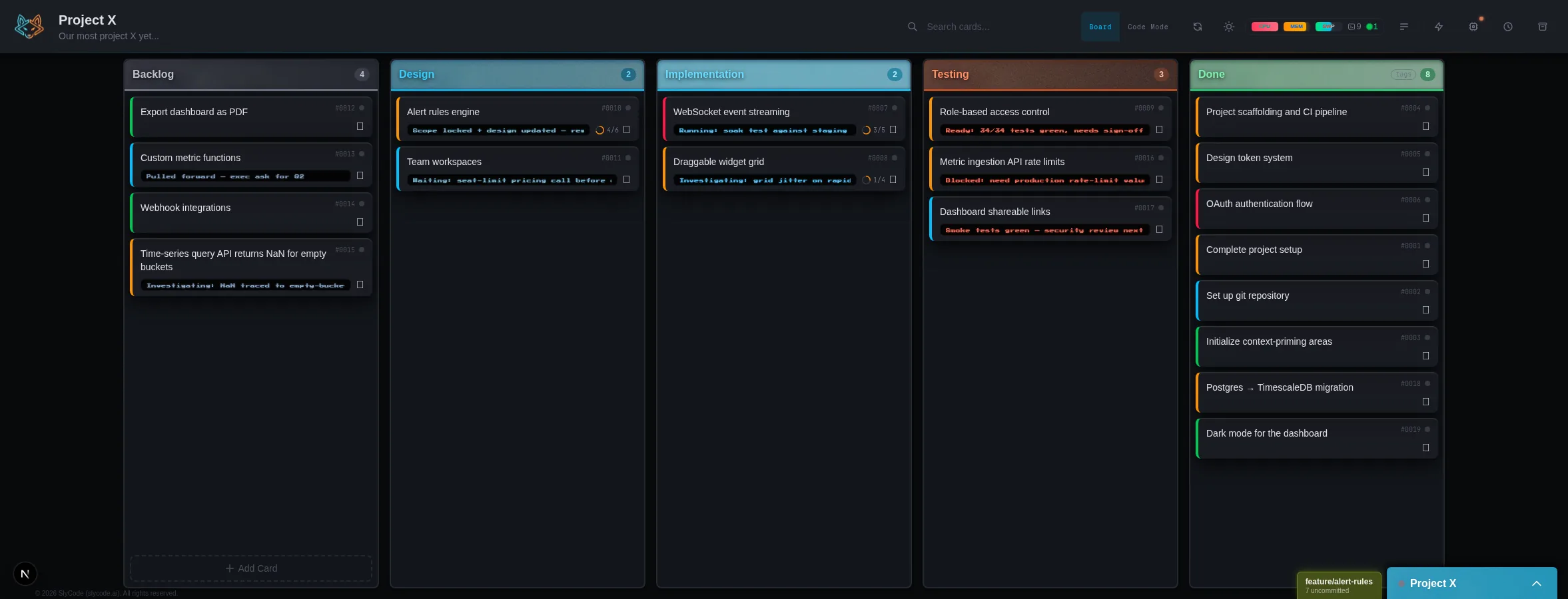
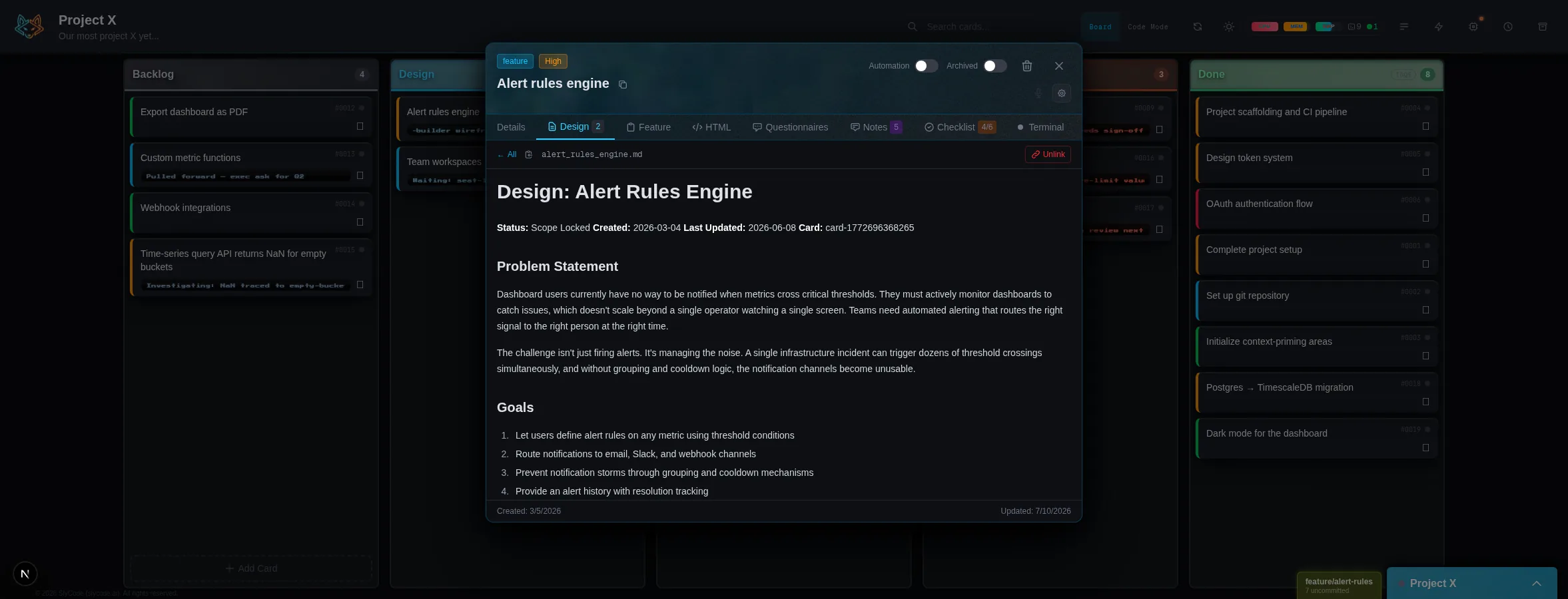
Every task lives on a card: title, description, checklist, and status in one place.
What needs to happen
Title, description, checklist, acceptance criteria.
Why it matters
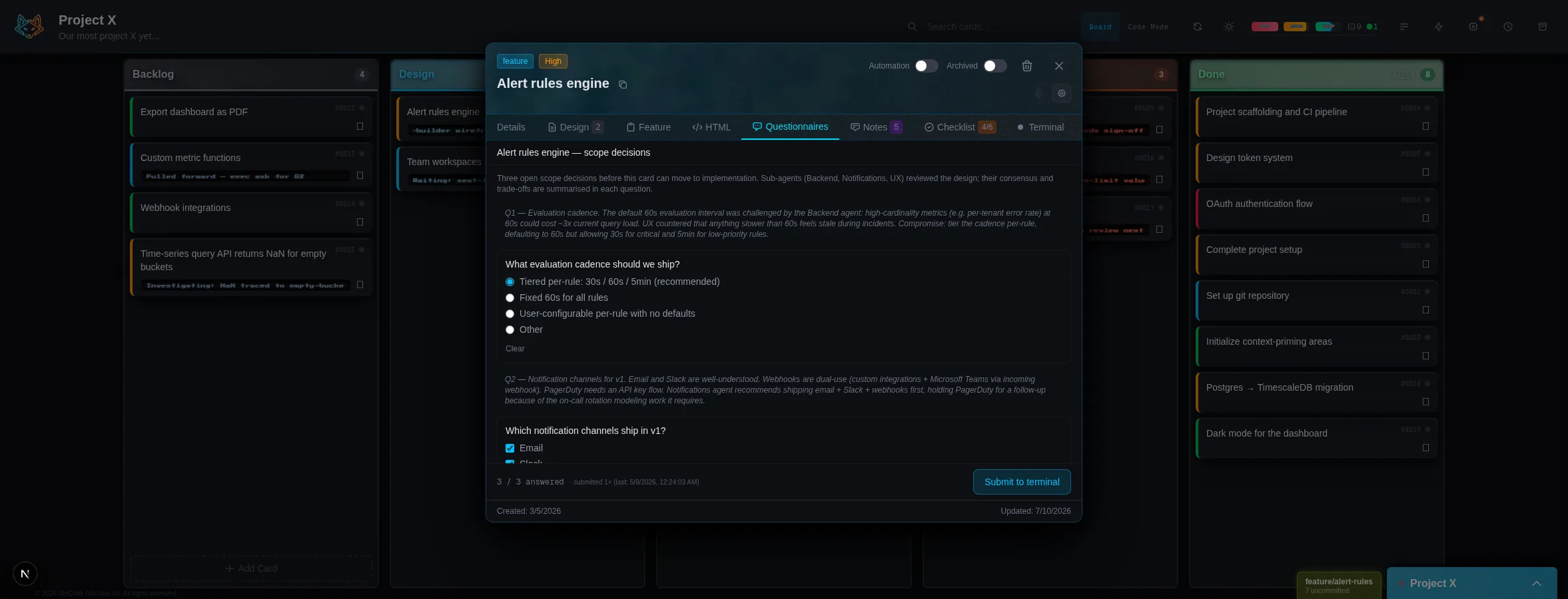
Problem context, design documents, feature documents.
Where you do it
A live terminal session that already knows the task.
Click a card, and you are working. Not setting up. Not searching for the last session. Working.
Build wherever you are
Your best thinking doesn't happen at a desk.
Turn a rough idea into a structured task while you are away from your desk, then pick it back up with real progress already attached.
The park
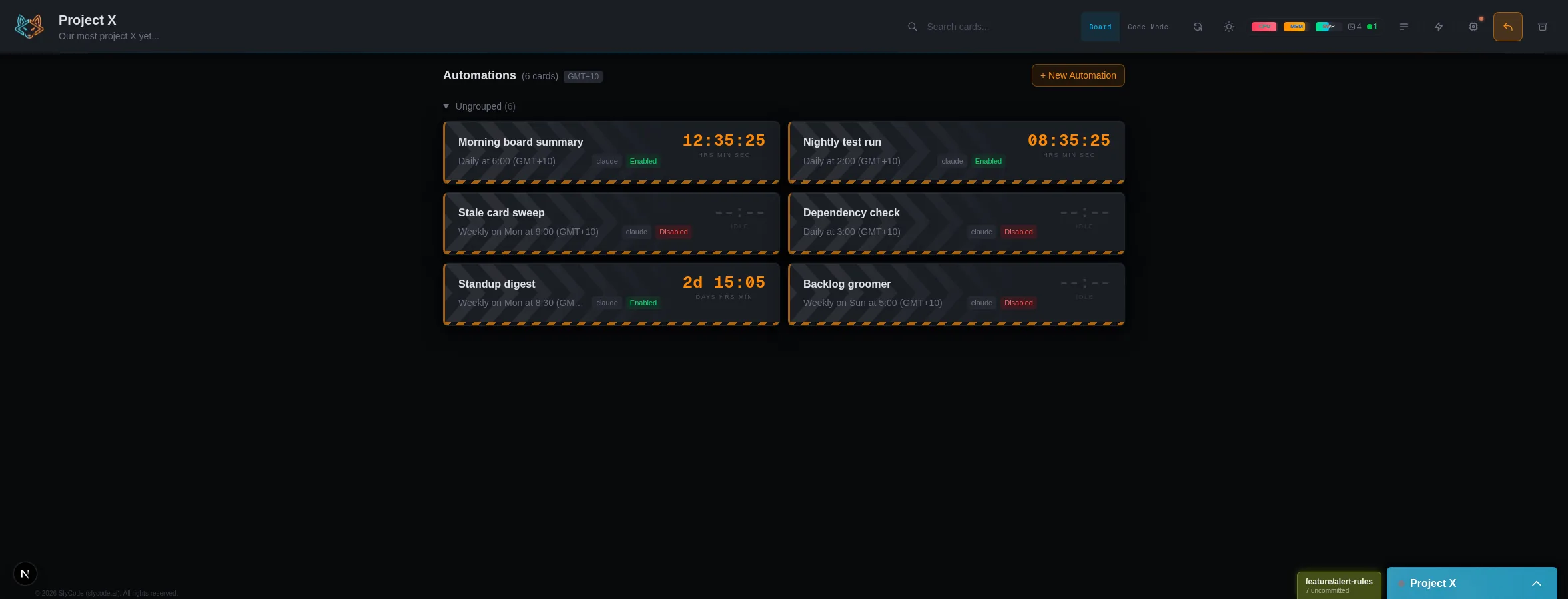
School run done. Your phone buzzes with the morning summary, and you keep walking.
A new card
An idea lands. You speak it out loud, and it becomes a card in the workflow.
Design
You pull up the task, talk through the shape of the solution, and the AI turns that conversation into a design you can actually build from.
Moving forward
The task is no longer just an idea. The card has context, direction, and enough structure for the work to keep moving.
Back at the desk
You sit down, open SlyCode, and pick the task back up with real progress already attached to it.
Remember, you were working before you sat down.
Features
Built for the workflow, not just the prompt.
Move work through a structured flow, with the AI able to update cards as the task progresses. Turn a rough idea into a clear task, generate design and feature documents before building, implement against a plan, and test before you ship.
Capture the work
Start with a rough task and turn it into something actionable.
Onboard the task
Add scope, intent, and the context needed to move forward.
Design and specify
Generate design and feature documents before building, so the work starts from a clearer plan.
Implement with structure
Build against the task's plan and context, while the workflow stays attached to the work.
Test and review
Close the loop with structured checks before the card moves on.
Powered by built-in skills and actions, but designed to feel like one workflow.
Code Mode
NewA map of your codebase, drawn by AI.
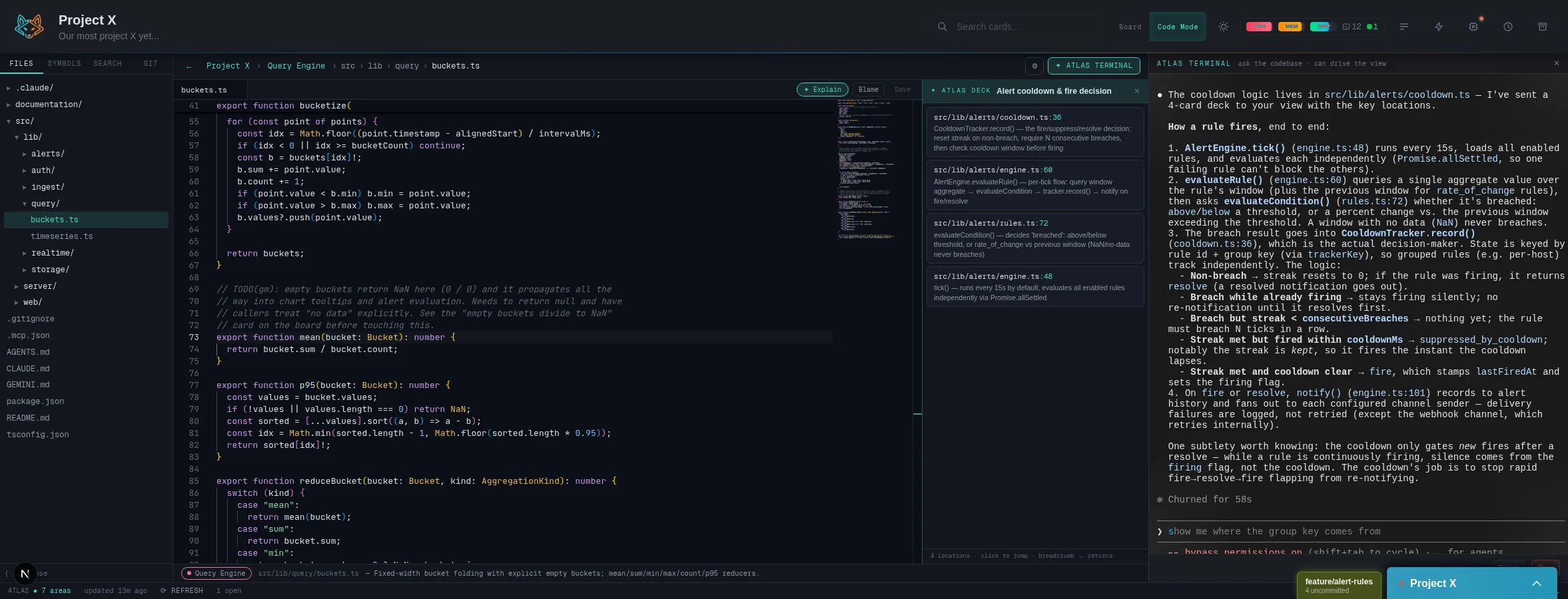
Boards track the work. Code Mode shows you the code the work is changing. One toggle flips any project's dashboard into the Codebase Atlas.
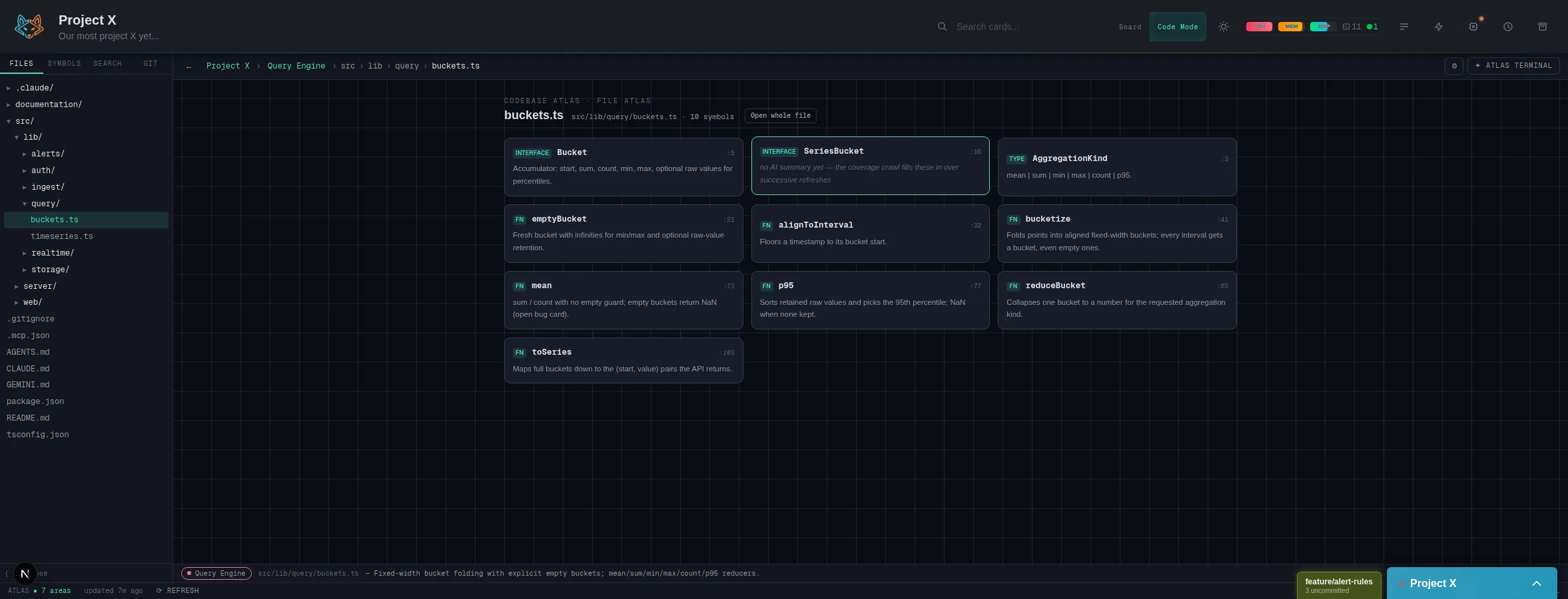
A map, not a file tree
Zoom from a system map of your project's areas, into a module, into a file, straight to a function in the editor. Every level carries AI-written explanations of what the code actually does.
Honest by design
Files, search, symbols, and git are always live and true. The AI layer refreshes on a schedule and is clearly flagged when the code has moved underneath it.
A real editor underneath
Multi-file tabs, symbol-aware search, diffs, blame, and branch tools. Not an IDE replacement: an escape hatch, so a quick edit doesn't force a context switch.
Your agent drives the view
A docked AI terminal navigates the map, highlights code, and drops clickable results while you watch. Select any code and ask for an explanation in context.
You stop reverse-engineering your own project every time you come back to it.
Pricing
Free for solo developers.
The complete solo developer experience ships at no cost. Teams support is on the way.
Free
The full system. No gates.
- BYO CLI tool (Claude, Codex, OpenCode)
- Kanban board with full workflow
- Code Mode with the Codebase Atlas
- Multiple projects
- Automations and context priming
- Mobile messaging
Teams
Solo today. Your team when you're ready.
Shared workflows, team visibility, and a setup built for organization use.
- Everything in Free
- Shared workspaces
- Role-based access
- Workflow integrations
- Team-wide visibility
Get Started
Get up and running in under five minutes.
Everything you need to start working ships in a single scaffold.
npx @slycode/create-slycode slycodeRequires Node.js 20+
Scaffold
npx @slycode/create-slycode slycodeThe setup wizard walks you through a few quick questions: timezone, network binding, ports, integrations, services.
You can name the folder anything you like.
Launch
cd slycode && slycode startStarts the SlyCode services.
On Windows, use npx slycode start. All slycode CLI commands require the npx prefix on Windows.
Open
localhost:7591Open SlyCode in your browser. The SlyCode tutorial will be in the dashboard and will help you get started.
Build
Once you are familiar, create a new project or add an existing one and SlyCode will help you manage it.
What you bring
- SlyCode works alongside your existing setup.
- Bring the AI CLI tools you already use.
- A code editor is still useful for manual edits, review, and project-wide navigation.
- For mobile use, connect Telegram so you can create cards, shape tasks, and keep work moving away from your desk.
Running on a server?
SlyCode runs comfortably on 4 GB of memory. If you are running multiple sessions, create a 12 GB swap file to handle the extra load.
Help improve SlyCode
SlyCode is still evolving, and real-world feedback across tools, providers, and workflows is valuable. If you hit an issue or find a rough edge, report it here.